Vendors and purchase orders
Take supplier applications, approve a vendor, send a purchase order they can confirm online, and record what actually arrived.
The buying side works like the selling side turned around. A supplier applies through a form, you approve them, and the purchase orders you send have their own page where the vendor confirms, exactly as a customer approves an order.
1. Let suppliers apply
- In Vendors, press Make the vendor application form.
- Check its questions, then press Publish form.
- On its Share tab, press Add to theme, and Save in the theme editor.
You can also add the Vendor application form block first. With no vendor application form yet, the app builds one and publishes it the first time the block loads.
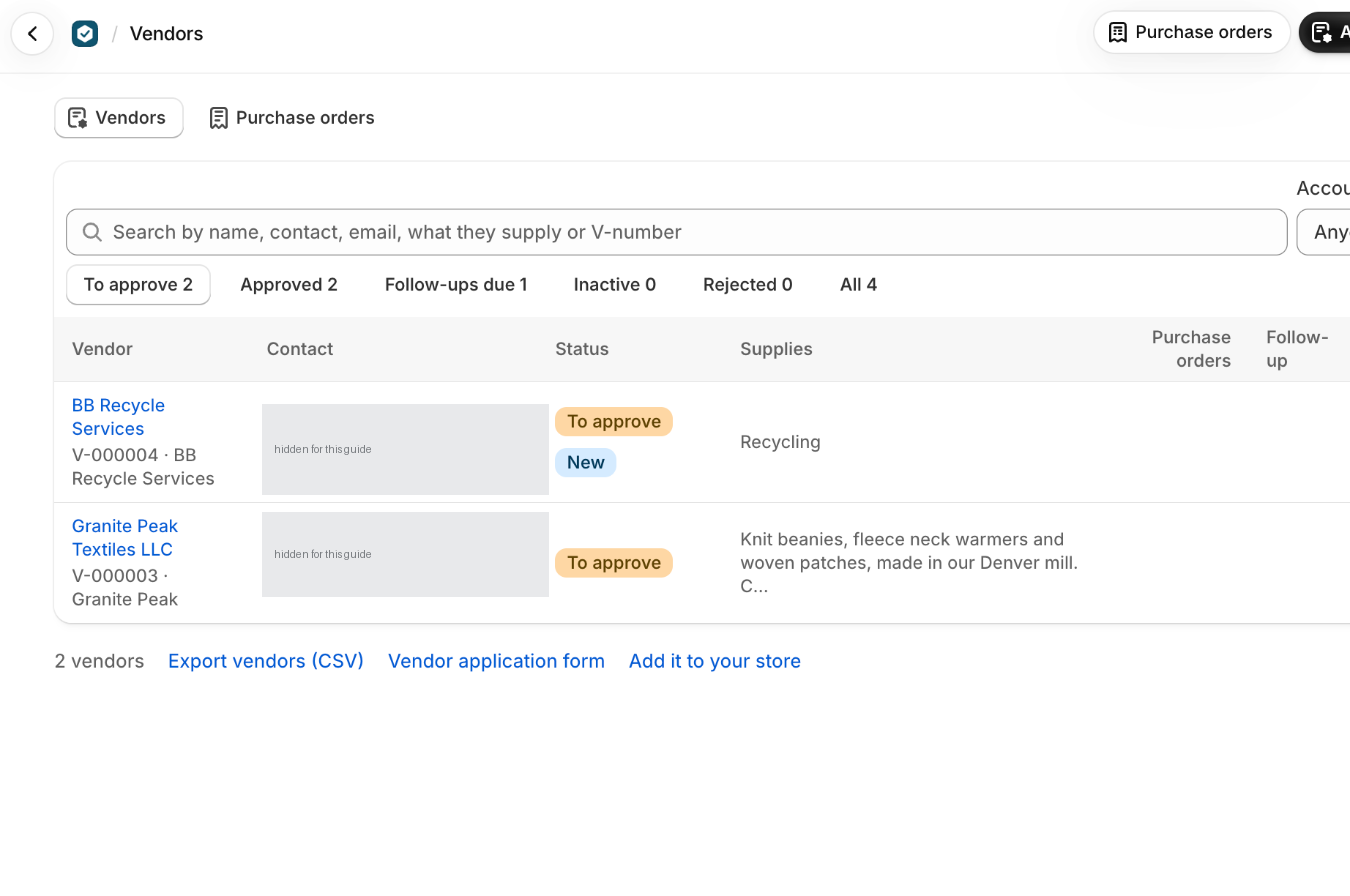
Applications arrive under Vendors, To approve. They never go to Leads, and the applicant is not added to your Shopify customers.
2. Add a supplier you already use
Press Add vendor and choose A business I type in, or One of my companies (from Shopify) when it is a business you also sell to. Either way the vendor waits under To approve until you press Approve on its page. Until then you cannot send it purchase orders.
3. Build and send a purchase order
Costs start from your last purchase order to that vendor, or from the cost per item in Shopify. They are a starting point, not gospel, so check them against the vendor's current prices.
- Press Send to vendor.
- Email them the link from the sharing dialog.As with customer orders, the app sends nothing. The link goes out from you.
- Download the PDF if you need a copy to attach.
The vendor opens the page on your store, checks it and presses Confirm purchase order, or reports a problem. If they confirm by phone or email instead, press Record confirmation.
4. When a vendor cannot open it
- It has to have been sent. A draft has no page for the vendor yet.
- They have to use the latest link. New link stops the old one working.
- With Protect vendor pages with a 4-digit code on, in Settings, Vendors, they need the code shown on the purchase order.
- While you are changing it, after Change it, their page shows the version they have and says changes are coming. Send the new version and Confirm purchase order comes back.
5. Changing one, and receiving the goods
Press Change it, make the changes and send it again. The vendor gets version 2 with what changed listed at the top.
When goods arrive, Receive items records what came against the purchase order and shows what is still outstanding. Close with what arrived ends one when nothing more is coming.
Receiving does not touch your Shopify inventory. Stock is adjusted in Shopify the way you already do it, so nothing is counted twice.
What trips people up
- The form asks for a business tax ID, never a Social Security number, and no bank details. Collect payment details the way your accountant prefers.
- Vendor applications never count as leads, and the applicant isn't added to your customers.
- A rejected application can still be approved later. Set inactive stops new purchase orders for an approved vendor, and Reactivate brings it back.
- Delete asks for the word delete and removes the application's answers and files too. It isn't possible while one of its purchase orders is out with it.
- A company is a vendor once: adding it again opens the vendor it already is. The company and its orders don't change.
- Needed by starts from the vendor's lead time, and the ship-to address and terms from Settings, Vendors.
- Lines without a usable quantity or cost aren't counted in the total until they're fixed.
- Until a change is sent, the vendor's page says changes are coming and keeps showing the version it has.
- A reported problem shows as Problem reported with the vendor's words. Change the purchase order, or record a confirmation if it goes ahead as it is.
- If the link went to the wrong person, press New link: the old one stops working.
- Receiving doesn't change your Shopify inventory. Adjust stock in Shopify as you usually do.
- Recorded the wrong numbers? Take back on the latest receipt removes it (type delete to confirm).
- Cancel purchase order (type cancel to confirm) is only possible before anything has arrived. Tell the vendor yourself too.
Check you have it
A vendor application arrived. Why isn't it in Leads?
Vendors are businesses you buy from, so their applications go to Vendors, under To approve. Leads are for buyers.
The vendor confirmed on the phone. Do you need to send it again?
No. Press Record confirmation, with who confirmed it and how.
Short answers on this
- How do suppliers apply to be my vendor?
- How do I add a supplier I already use?
- How does a vendor get and confirm a purchase order?
- My vendor can't open or confirm the purchase order.
- How do I change a purchase order I've sent?
- Where does the cost on a purchase order come from?
- Does receiving goods change my Shopify inventory?